


注意:
由于笔者已经安装过 VSCode 了,所以有的图片会使用别人博客的图片,在此致谢,如侵权,请联系我删除!
众所周知,VSCode 是一款插件功能极其强大的编辑器,因为他是一个编辑器,只有写代码的功能,所以我们不能像其他 IDE 一样开箱即用,需要进行一些配置,而现在文章广场上的教程大多都不是用 code ruuner 来跑代码的,所以就有了这篇文章。
Part 1. 下载 VSCode
先从这下载安装程序并运行。


由于我已经安装过 VSCode 了,在正常情况下安装因该有一个选择安装路径的选项,将路径改为自己想要的路径就行了,所以在这里就省略了/bx。
Part 2. 配置
下载 MinGW:
前文提到过,VSCode 只是一个编辑器,本身只具有写代码的功能,所以我们还要给他配置一个编译器,这里推荐使用 MinGW14 具体见下图:

下载后是一个 zip 或者 7z 的压缩包,我们将其解压到你安装 VSCode 的那个盘的路径,比如说我的路径就是 D:\mingw64
然后需要我们配置环境变量。


新建的那里填实际你的 MinGW 的路径。
我们来验证一下是否成功,打开你的 powershell 输入 g++ -v 如果有版本信息,那就说明成功了,否则就失败了。如果成功,请重启你的 VSCode。
汉化:
初次打开的 VSCode 因该是这样的:
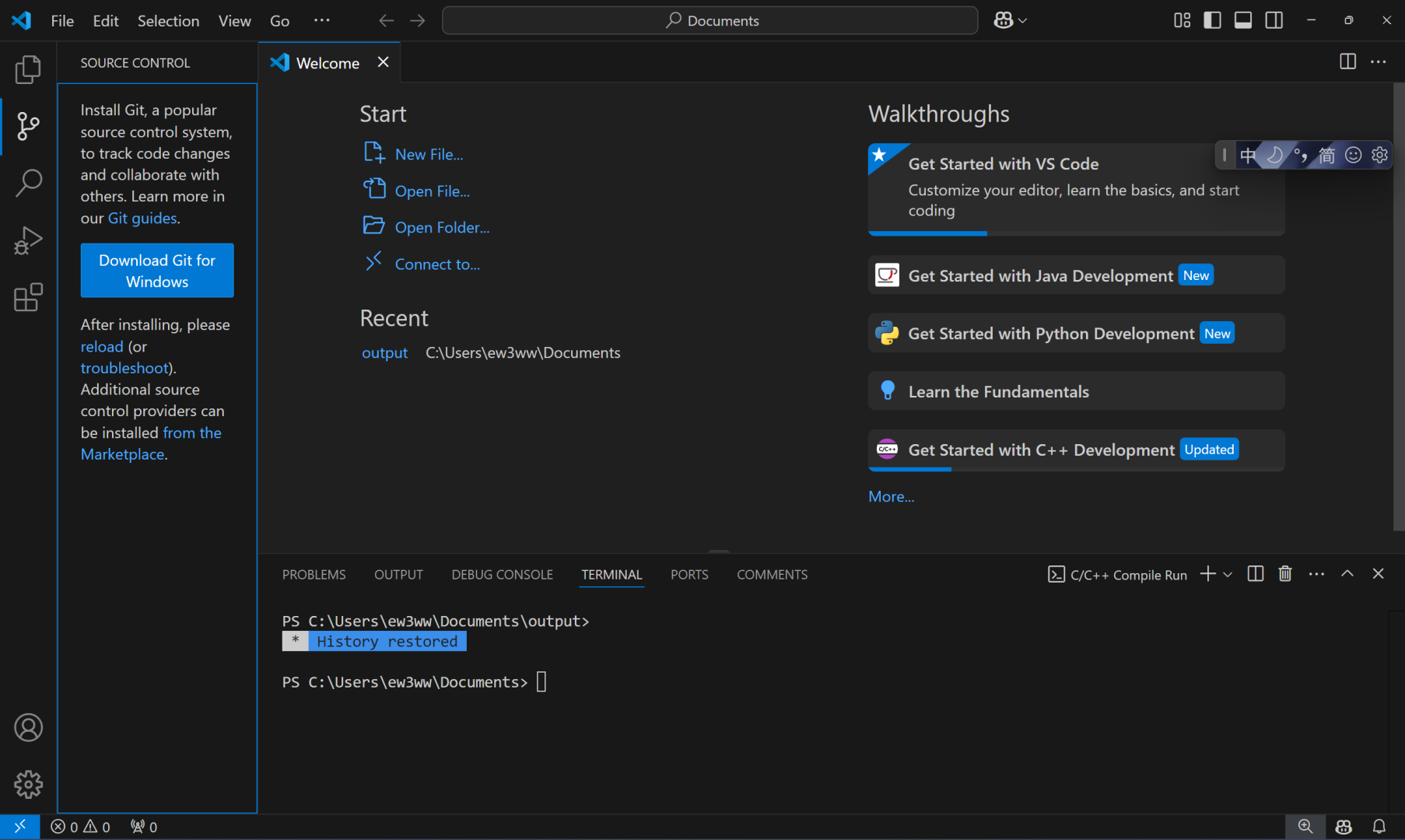
点这个:

搜索 Chinese:

正常情况下,那里会有一个安装,但是我已经安装过了所以就手写了一个安装上去/kk
来看一个正常的安装:
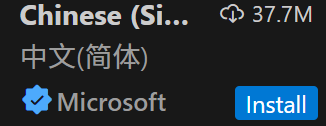
等他安装完成后,你的 VSCode 右下角会有一个通知,其中有一个蓝色的按钮写着 Change language 点一下,你的 VSCode 会重启,重启完你的 VSCode 就汉化成功了!
然后你要新建一个文件夹来存放你的代码,注意:路径不能有中文。
插件:
是的,VSCode 的插件十分丰富,再次列举几个插件:
-
C/C++ -
code ruuner
这两个插件只可以保障你的基本使用!
然后这些是增加体验感的插件:
-
TabOut -
CPH NG -
vscode-luogu -
vscode-icons -
vscode-pdf
如何运行代码:
先按下 Ctrl + Shift + P 输入 Open Workspace Sttings (JSON) 然后 VSCode 会在你的 .vscode 目录下生成一个 settings.json 文件,直接关掉就行了,但是一定要有这个文件。然后接着按下 Ctrl + Shift + P 输入 Edit Configgurations (JSON),VSCode 会生成一个叫 c_cpp_properties.json 文件,将一下内存复制粘贴进去:
{ "configurations": [ { "name": "Win32", "includePath": [ "${workspaceFolder}/**" ], "compilerPath": "D:\\mingw64\\bin\\g++.exe", "cStandard": "c17", "cppStandard": "c++20",//这里改成你的编译标准 "intelliSenseMode": "windows-gcc-x64" } ], "version": 4}关掉后,在拓展中点击:

然后找到 Run In Terminal 然后打勾,像这样:

然后翻上去,找到 code-runner.executorMap 点击在 setting,json 中编辑。

然后找到这行:

将其改成:
"cpp": "cd $dir && g++ $fileName -o $fileNameWithoutExt -std=c++20 -O2 '-Wl,--stack=512000000' -Wall -Wextra -Wconversion && $dir$fileNameWithoutExt",注意:这里的 -std==c++20 要和你刚刚在 c_cpp_properties.json 文件中填的一致。然后到此你的 VSCode 就配置完成了,打开一个代码,按住 Ctrl + Alt + N 就能运行,这里要注意:在运行前一定要保存一次文件!!!

Part 3. 设置字体
这里推荐一个字体:
下载后解压到任意文件夹中,找到 ttf 文件夹,然后全选文件,右键安装,回到 VSCode 中,打开 setting.json 文件,在末尾加上:
"terminal.integrated.fontFamily": "'Fira Code', 'Noto Sans CJK SC'", "editor.fontFamily": "'Fira Code', 'Noto Sans CJK SC'", "editor.fontLigatures": "'cv01', 'cv02', 'cv11'",重启就有连字效果了。
Part 4. 完结
恭喜你成功配置了 VSCode,在这里分享一下我的 setting.json:
{ "code-runner.executorMap": {
"javascript": "node", "java": "cd $dir && javac $fileName && java $fileNameWithoutExt", "c": "cd $dir && gcc $fileName -o $fileNameWithoutExt && $dir$fileNameWithoutExt", "zig": "zig run", "cpp": "cd $dir && g++ $fileName -o $fileNameWithoutExt -std=c++20 -O2 '-Wl,--stack=512000000' -Wall -Wextra -Wconversion && $dir$fileNameWithoutExt", "objective-c": "cd $dir && gcc -framework Cocoa $fileName -o $fileNameWithoutExt && $dir$fileNameWithoutExt", "php": "php", "python": "python -u", "perl": "perl", "perl6": "perl6", "ruby": "ruby", "go": "go run", "lua": "lua", "groovy": "groovy", "powershell": "powershell -ExecutionPolicy ByPass -File", "bat": "cmd /c", "shellscript": "bash", "fsharp": "fsi", "csharp": "scriptcs", "vbscript": "cscript //Nologo", "typescript": "ts-node", "coffeescript": "coffee", "scala": "scala", "swift": "swift", "julia": "julia", "crystal": "crystal", "ocaml": "ocaml", "r": "Rscript", "applescript": "osascript", "clojure": "lein exec", "haxe": "haxe --cwd $dirWithoutTrailingSlash --run $fileNameWithoutExt", "rust": "cd $dir && rustc $fileName && $dir$fileNameWithoutExt", "racket": "racket", "scheme": "csi -script", "ahk": "autohotkey", "autoit": "autoit3", "dart": "dart", "pascal": "cd $dir && fpc $fileName && $dir$fileNameWithoutExt", "d": "cd $dir && dmd $fileName && $dir$fileNameWithoutExt", "haskell": "runghc", "nim": "nim compile --verbosity:0 --hints:off --run", "lisp": "sbcl --script", "kit": "kitc --run", "v": "v run", "sass": "sass --style expanded", "scss": "scss --style expanded", "less": "cd $dir && lessc $fileName $fileNameWithoutExt.css", "FortranFreeForm": "cd $dir && gfortran $fileName -o $fileNameWithoutExt && $dir$fileNameWithoutExt", "fortran-modern": "cd $dir && gfortran $fileName -o $fileNameWithoutExt && $dir$fileNameWithoutExt", "fortran_fixed-form": "cd $dir && gfortran $fileName -o $fileNameWithoutExt && $dir$fileNameWithoutExt", "fortran": "cd $dir && gfortran $fileName -o $fileNameWithoutExt && $dir$fileNameWithoutExt", "sml": "cd $dir && sml $fileName", "mojo": "mojo run", "erlang": "escript", "spwn": "spwn build", "pkl": "cd $dir && pkl eval -f yaml $fileName -o $fileNameWithoutExt.yaml", "gleam": "gleam run -m $fileNameWithoutExt" }, "terminal.integrated.enableMultiLinePasteWarning": "never", "files.autoSave": "afterDelay", "files.autoSaveDelay": 2000, "code-runner.runInTerminal": true, "github.copilot.enable": { "*": false, "plaintext": false, "markdown": false, "scminput": false, "cpp": false }, "glassit.alpha": 220, "github.copilot.nextEditSuggestions.enabled": false, "luogu.alwaysUseDefaultLanguageVersion": true, "workbench.editor.empty.hint": "hidden", "cph.general.defaultLanguage": "cpp", "competitive-companion.port": 10045, "competitive-companion.debug": true, "cph.general.defaultLanguageTemplateFileLocation": "D:\\c++\\luogu\\1.cpp", "cph.general.problemsDirectory": "D:\\c++\\problems", "cph.general.problemsStoragePath": "D:\\c++\\Code", "cph.general.firstTime": false, "editor.fontSize": 25, "terminal.integrated.fontFamily": "'Fira Code', 'Noto Sans CJK SC'", "editor.fontFamily": "'Fira Code', 'Noto Sans CJK SC'", "editor.fontLigatures": "'cv01', 'cv02', 'cv11'", "editor.defaultFormatter": "ms-vscode.cpptools", "C_Cpp.formatting": "vcFormat", "git.openRepositoryInParentFolders": "never", "vsicons.dontShowNewVersionMessage": true, "workbench.iconTheme": "vscode-icons", "explorer.confirmDragAndDrop": false,}如果这篇文章对你有帮助,欢迎分享给更多人!
部分信息可能已经过时